Automation that fits your flow

BrickSync: AI-Powered Intelligence for Construction Teams

Capture site information, automate routine tasks, and maintain clarity across projects without changing how they already work.

Automate site updates and follow-ups

Turn conversations into structured project data

Reduce admin without adding new tools

Meet BuildSync

Your AI Co-Pilot for Construction Operations

BrickSync fits seamlessly into your teams workflow to captures project information as it happens, organizing it automatically to support better planning and decision-making

Smart Workflow Automation

Routine actions are handled automatically

the best way to build web apps without code

Project Forecasting

Measure progress with real data

Project Coordination

Track labour and material requests
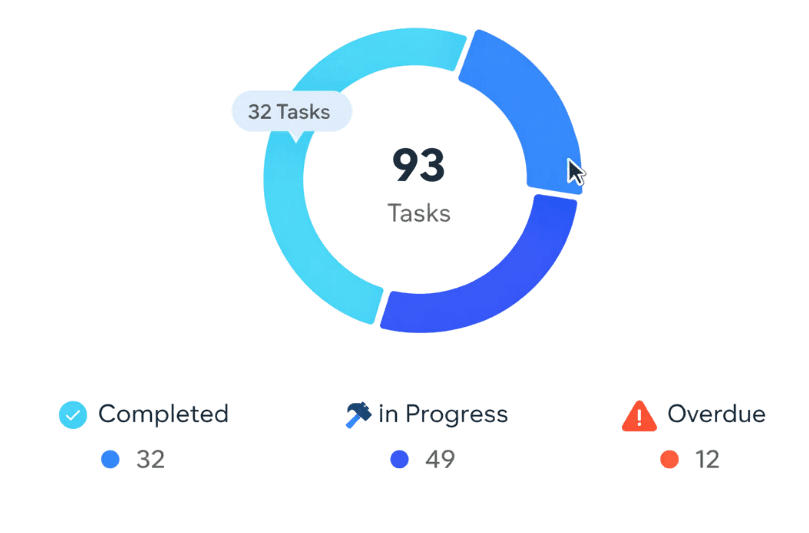
Resource Allocation

Identify delays and issues early
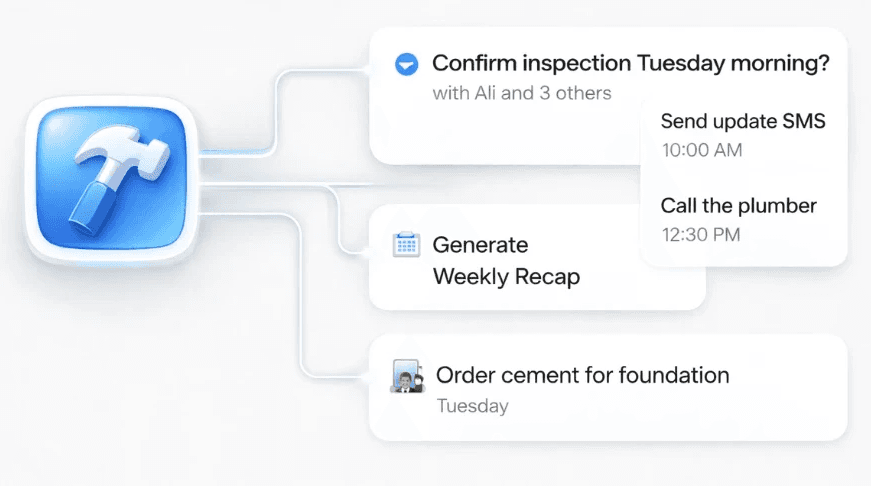
The Bottleneck in Construction

Construction teams are drowning in manual work

Project information lives across messages, calls, spreadsheets, and memory. BrickSync removes the need to manually capture and organise information without disrupting site workflows.

After BuildSync

Automated and effortless

Site updates, bids, and change requests are captured automatically

Reports and dashboards stay in sync, without manual input

Projects move forward faster with assisted decision-making

Forecasts remain accurate and up to date as work progresses

BrickSyncᵀᴹ

Watch Your Projects Build Themselves

Seamlessly integrate AI-powered automation into your workflow saving your team valuable time and reducing ongoing costs

woman in black leather jacket

Live Demo

Schedule a call with our product team

woman in black leather jacket

Live Demo

Schedule a call with our product team

woman in black leather jacket

Live Demo

Schedule a call with our product team

Try BuildSync

Built for the way construction teams actually work

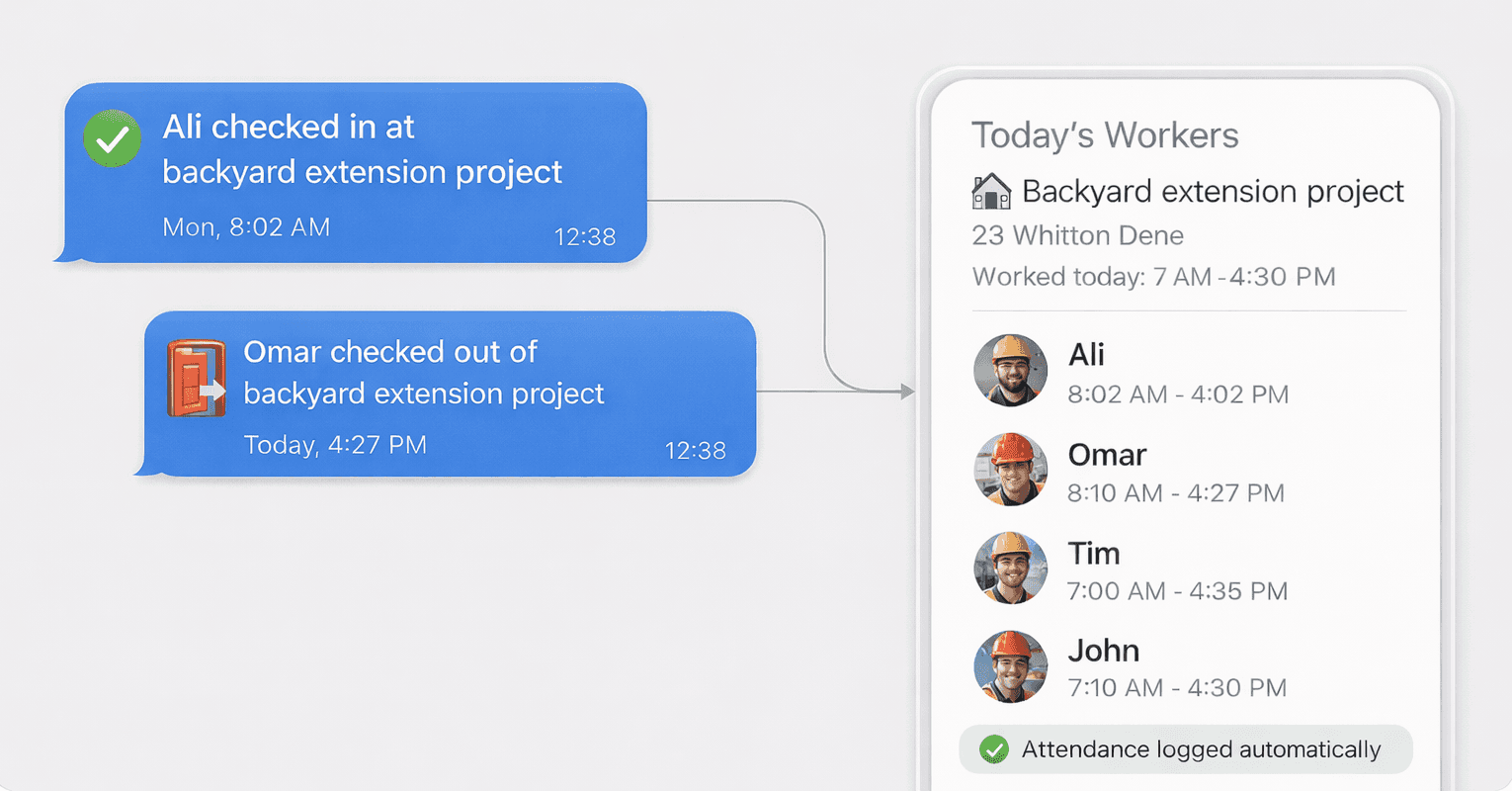
BrickSync captures site updates, labour, tasks, and purchases directly from day-to-day communication, keeping project information organised without extra admin.

man in black and yellow jacket wearing red helmet holding black and white stick

Ask us anything

Frequently Asked Questions

Do we need to install new software or train our team?

No. BrickSyncᵀᴹ works directly inside tools your team already uses, such as Telegram or WhatsApp. There’s no new software to install and no training required, teams continue communicating as they always have.

How do we send information to BrickSyncᵀᴹ?

You communicate with BrickSyncᵀᴹ directly by sending messages, photos, or voice notes just like you would with a colleague. BrickSyncᵀᴹ captures and organises this information by project, without requiring forms, dashboards, or manual data entry.

Does BrickSyncᵀᴹ support multiple languages?

Yes. BrickSyncᵀᴹ supports multilingual input, allowing teams to send updates in their preferred language. This makes it suitable for diverse site teams without requiring translation or standardised reporting formats.

Can BrickSyncᵀᴹ be used across multiple projects and sites?

Yes. BrickSyncᵀᴹ organises updates by project, allowing teams to manage multiple sites while keeping records clear, structured, and easy to review.

Do we need to hire additional staff to manage BrickSyncᵀᴹ?

No. BrickSyncᵀᴹ reduces admin work rather than creating more of it. Once set up, it supports both site teams and managers without additional roles or overhead.

Is BrickSyncᵀᴹ suitable for small teams as well as larger operations?

Yes. BrickSyncᵀᴹ works well for small teams and scales naturally as operations grow, without changing how teams communicate or operate on site.

How is our project data handled?

Project data is handled securely and structured by project. Access controls ensure information is only available to authorised users.

Do we need to install new software or train our team?

No. BrickSyncᵀᴹ works directly inside tools your team already uses, such as Telegram or WhatsApp. There’s no new software to install and no training required, teams continue communicating as they always have.

How do we send information to BrickSyncᵀᴹ?

You communicate with BrickSyncᵀᴹ directly by sending messages, photos, or voice notes just like you would with a colleague. BrickSyncᵀᴹ captures and organises this information by project, without requiring forms, dashboards, or manual data entry.

Does BrickSyncᵀᴹ support multiple languages?

Yes. BrickSyncᵀᴹ supports multilingual input, allowing teams to send updates in their preferred language. This makes it suitable for diverse site teams without requiring translation or standardised reporting formats.

Can BrickSyncᵀᴹ be used across multiple projects and sites?

Yes. BrickSyncᵀᴹ organises updates by project, allowing teams to manage multiple sites while keeping records clear, structured, and easy to review.

Do we need to hire additional staff to manage BrickSyncᵀᴹ?

No. BrickSyncᵀᴹ reduces admin work rather than creating more of it. Once set up, it supports both site teams and managers without additional roles or overhead.

Is BrickSyncᵀᴹ suitable for small teams as well as larger operations?

Yes. BrickSyncᵀᴹ works well for small teams and scales naturally as operations grow, without changing how teams communicate or operate on site.

How is our project data handled?

Project data is handled securely and structured by project. Access controls ensure information is only available to authorised users.

Do we need to install new software or train our team?

No. BrickSyncᵀᴹ works directly inside tools your team already uses, such as Telegram or WhatsApp. There’s no new software to install and no training required, teams continue communicating as they always have.

How do we send information to BrickSyncᵀᴹ?

You communicate with BrickSyncᵀᴹ directly by sending messages, photos, or voice notes just like you would with a colleague. BrickSyncᵀᴹ captures and organises this information by project, without requiring forms, dashboards, or manual data entry.

Does BrickSyncᵀᴹ support multiple languages?

Yes. BrickSyncᵀᴹ supports multilingual input, allowing teams to send updates in their preferred language. This makes it suitable for diverse site teams without requiring translation or standardised reporting formats.

Can BrickSyncᵀᴹ be used across multiple projects and sites?

Yes. BrickSyncᵀᴹ organises updates by project, allowing teams to manage multiple sites while keeping records clear, structured, and easy to review.

Do we need to hire additional staff to manage BrickSyncᵀᴹ?

No. BrickSyncᵀᴹ reduces admin work rather than creating more of it. Once set up, it supports both site teams and managers without additional roles or overhead.

Is BrickSyncᵀᴹ suitable for small teams as well as larger operations?

Yes. BrickSyncᵀᴹ works well for small teams and scales naturally as operations grow, without changing how teams communicate or operate on site.

How is our project data handled?

Project data is handled securely and structured by project. Access controls ensure information is only available to authorised users.

Do we need to install new software or train our team?

No. BrickSyncᵀᴹ works directly inside tools your team already uses, such as Telegram or WhatsApp. There’s no new software to install and no training required, teams continue communicating as they always have.

How do we send information to BrickSyncᵀᴹ?

You communicate with BrickSyncᵀᴹ directly by sending messages, photos, or voice notes just like you would with a colleague. BrickSyncᵀᴹ captures and organises this information by project, without requiring forms, dashboards, or manual data entry.

Does BrickSyncᵀᴹ support multiple languages?

Yes. BrickSyncᵀᴹ supports multilingual input, allowing teams to send updates in their preferred language. This makes it suitable for diverse site teams without requiring translation or standardised reporting formats.

Can BrickSyncᵀᴹ be used across multiple projects and sites?

Yes. BrickSyncᵀᴹ organises updates by project, allowing teams to manage multiple sites while keeping records clear, structured, and easy to review.

Do we need to hire additional staff to manage BrickSyncᵀᴹ?

No. BrickSyncᵀᴹ reduces admin work rather than creating more of it. Once set up, it supports both site teams and managers without additional roles or overhead.

Is BrickSyncᵀᴹ suitable for small teams as well as larger operations?

Yes. BrickSyncᵀᴹ works well for small teams and scales naturally as operations grow, without changing how teams communicate or operate on site.

How is our project data handled?

Project data is handled securely and structured by project. Access controls ensure information is only available to authorised users.

Our work is for visionaries who see beyond trends, ready to build systems and experiences that endure.